Most people use just one OS each day, but over the years, I’ve regularly switched between several. Among them, only Linux feels like it doesn’t hold your hand or lock features behind menus. Other systems guard access for security and simplicity, which works for many. But for those who want raw control, Linux is the only real operating system.
Why Linux Operating System Is Different
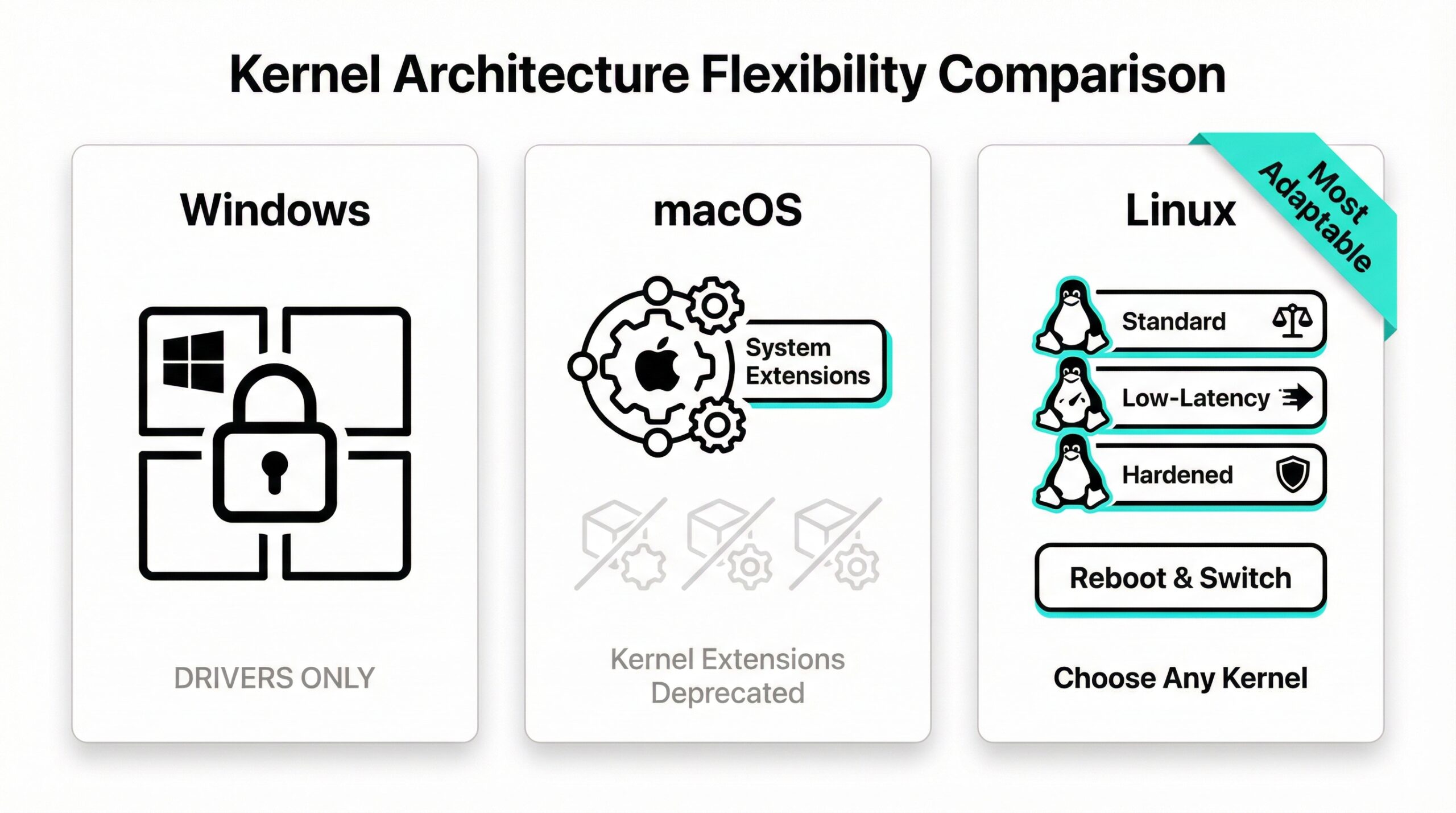
Linux stands out because it gives full control over the core of the system. Unlike Windows and macOS, which tightly control their kernels, Linux lets you swap the entire kernel as needed. The kernel is the heart of the OS it manages hardware and enforces security policies. Linux’s flexibility here is unmatched on the desktop.
Swap Kernels Like Desktop Apps
Multiple Kernels, One System
Most desktop OSes ship with one kernel and a limited ability to change it. Linux is different: you can install and switch between different kernels easily. Many Linux distributions even offer a simple GUI tool to pick a kernel, install it, and reboot into it with just a few clicks
Why Change Kernels?
People change kernels to improve system performance, gain better hardware support, enhance security, increase stability, and unlock features better suited to their specific use case. A different kernel can reduce latency, improve resource management, add newer drivers, provide stronger security mechanisms, or offer specialized capabilities for desktops, servers, gaming, or real-time applications, making the system more efficient and reliable for its intended workload.
Different kernels serve different needs:
Some are optimized for older or unusual hardware. Others are stripped down to save space and boot faster. Security focused kernels (like SELinux or hardened builds) add extra protection against attackers. Developers, sysadmins, and security pros all have different requirements. Linux lets each choose the right foundation instead of forcing everyone onto one size fits all.
Personalize Your Desktop
No Uniform Look
On macOS and Windows, desktops tend to look very similar. Icon styles, menu bars, and wallpapers change only slightly across users. Linux is the opposite: with countless distros and desktop environments (GNOME, KDE, XFCE, etc.), no two Linux setups look the same. Even within a single distribution, almost everything is customizable: Icons, cursors, and window decorations Panels, trays, and launchers Compositors and window managers Keyboard shortcuts, and system behavior
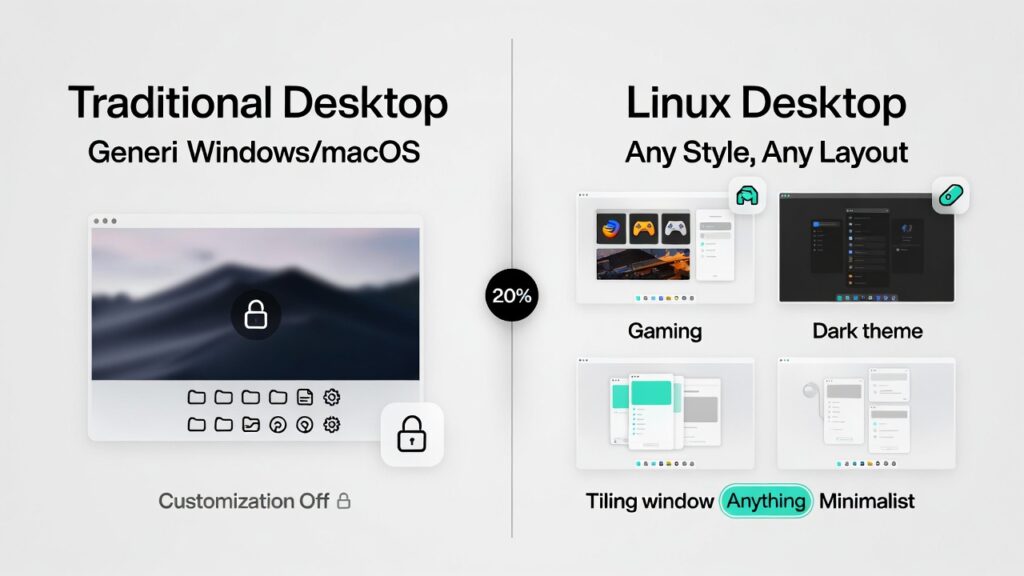
Freedom Beyond the UI
For Linux users, customization isn’t just cosmetic. Because it’s truly free software, you can tweak behavior at every level: Write scripts to show reminders, monitor battery, or adjust screen brightness. Replace the window manager or compositor to change how windows behave. Use the same tools and skills on both desktop and server. This freedom turns Linux into a personal computing canvas, not just a pre built product.
Linux Hardware as Files
Access Everything via the Command Line
On Unix like systems, Linux represents hardware as files. This means devices, sensors, and peripherals are accessible through the filesystem (like /dev). With sudo, you can read from and write to hardware directly, without needing special drivers or GUI tools. Examples: Change screen brightness by editing a brightness value file. Capture raw keyboard input by reading a character device file. Get cryptographically secure random numbers from /dev/urandom.
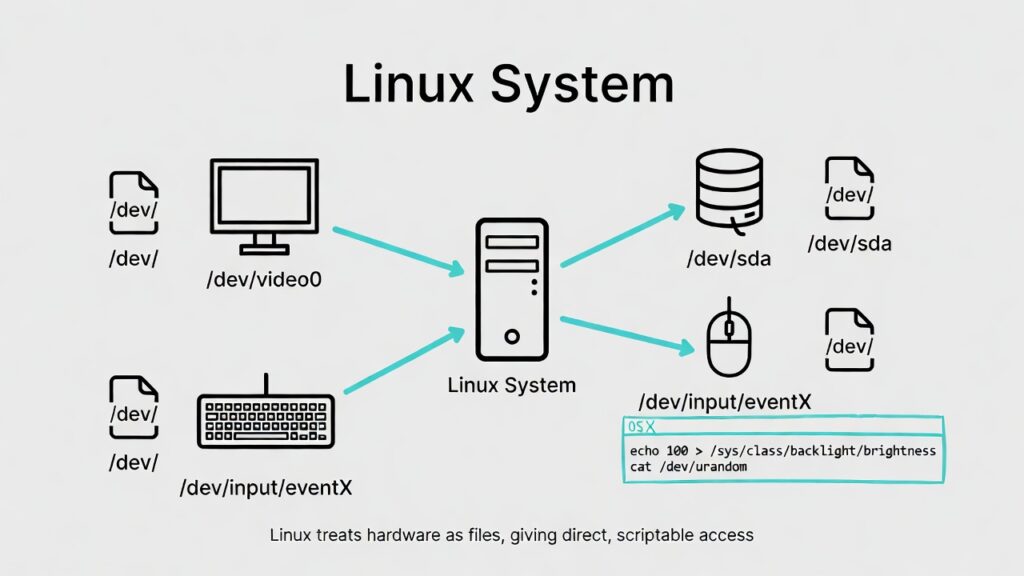
Desktop or Server? Why Choose?
Linux blurs the line between desktop and server better than any other OS. You can run the same Linux distro as: A daily driver desktop A web or file server A VPN gateway or DNS server A container host or Kubernetes node Skills you learn on the desktop (command line, networking, security tools) transfer directly to servers. This reduces the learning curve and makes Linux ideal for developers, DevOps, and security teams
Full Transparency, No Secrets
Linux is fully documented at every level. Commands, system services (like systemd), and low‑level tools all come with detailed man pages and guides. This is crucial for: Customization and automation, debugging and system monitoring Security auditing and hardening. Even proprietary OSes could document their features well without revealing internal code. But Linux’s open source nature makes comprehensive, practical documentation a priority.
conclusion
Linux: The Real Operating System is the ultimate Choice for control. In a world of locked-down operating systems, Linux stands alone as the real OS—offering unmatched kernel flexibility, endless customization, direct hardware access, seamless desktop-to-server transitions, and complete transparency. It empowers users, developers, and professionals to build exactly what they need, without compromises or hidden barriers. If Windows or macOS feel like renting a pre-furnished apartment, Linux hands you the keys to design your own home from the foundation up. Switch today, and experience computing on your terms.