
Microsoft kicked off 2026 with a Windows 11 update that turned into a real headache, marking one of the most turbulent Patch Tuesdays in recent years. The January 13 security update (KB5074109 for many builds), meant to deliver critical protections against over 100 vulnerabilities including remote code execution flaws, instead sparked a wave of bugs forcing the company to roll out multiple emergency out-of band updates in just weeks. For users and IT teams alike, it’s been a frustrating reminder that even giants like Microsoft aren’t immune to software glitches, especially with the shift to more frequent cumulative updates.
The First Bug: Shutdown Woes
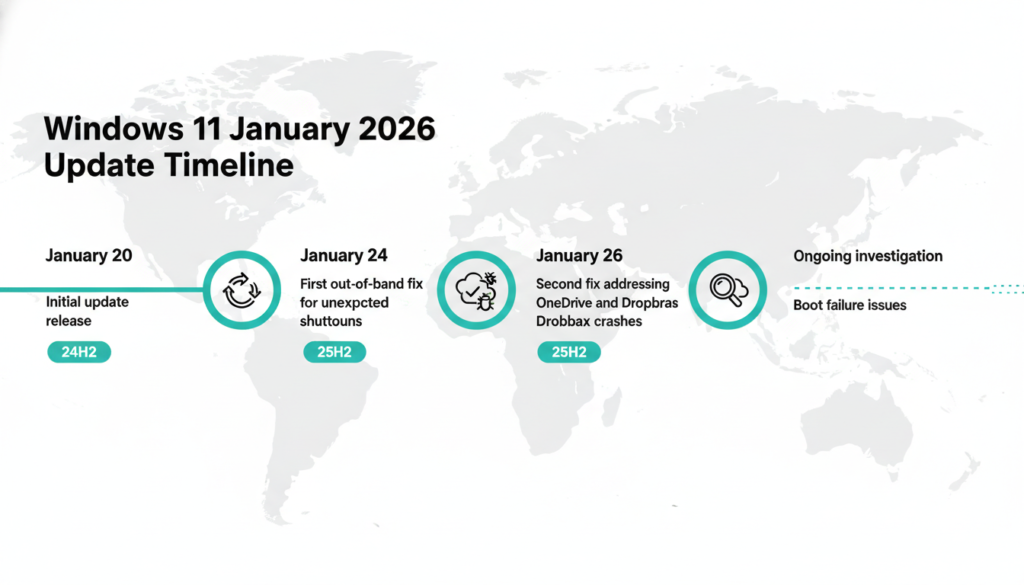
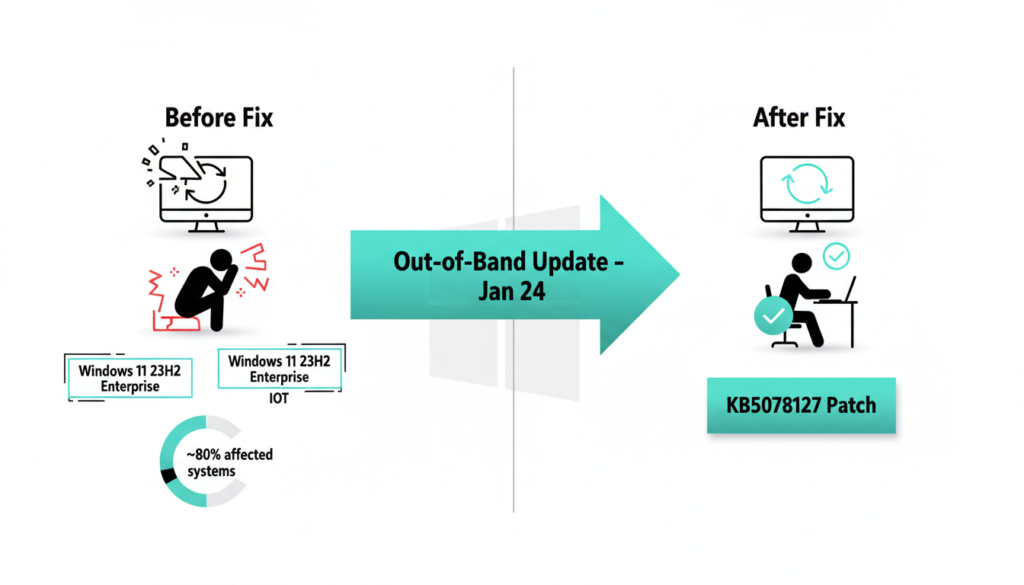
The trouble started last weekend when users reported machines failing to shut down properly after installing the January 2026 update, specifically KB5078482 for Windows 11 version 23H2 Enterprise and IoT editions, alongside earlier issues like hibernation failures and remote desktop connection drops fixed in a January 17 OOB patch. Affected systems would hang indefinitely or restart unexpectedly, disrupting workflows for businesses relying on these setups think kiosks, embedded devices, and corporate fleets. Microsoft quickly acknowledged the issue and pushed an out-of-band patch KB5078127 and KB5078132 on January 24, targeting OS builds like 26200.7628, 26100.7628, and 22631.6495 for 23H2.
This wasn’t just a minor hiccup; it built on prior fixes for remote desktop authentication failures across Windows 11 25H2, Windows 10 22H2 ESU, and even Windows Server 2025. According to Microsoft’s Windows release health dashboard, the bug stemmed from a conflict in power management drivers, echoing past issues like the 2023 CrowdStrike related outages that affected millions and cost billions in downtime. IT admins scrambled over the weekend, delaying routine maintenance into Monday, with forums like Reddit’s r/sysadmin lighting up with deployment horror stories.
Second Strike: Cloud Sync Crashes
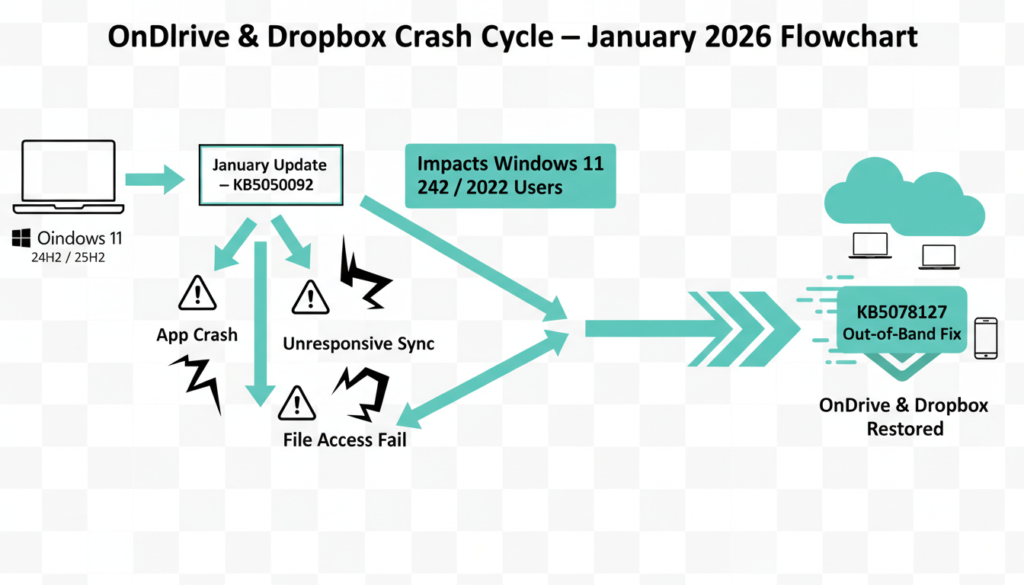
Exactly one week later, Microsoft faced round two, expanding beyond initial remote desktop woes. Users on the newer Windows 11 24H2 and 25H2 versions builds rolled out late last year with AI enhanced Copilot+ features began seeing OneDrive, Dropbox, and even Outlook Classic (POP/IMAP with PST files) crash or become unresponsive. Files wouldn’t sync, notifications piled up, Outlook required Task Manager kills or reboots to reopen, and some reported full system freezes during cloud operations issues tied to apps saving to cloud backed storage after KB5073455 or KB5050092. The same KB5078127 out of band update addressed this for 24H2/25H2, but it arrived over another weekend, piling pressure on support teams already dealing with Azure RDP login failures.
Expanding on reports, these crashes linked to updated sync engine libraries clashing with third party cloud clients, prompting Microsoft to advise webmail workarounds or uninstalling the patch temporarily though not ideal given the security fixes. Microsoft recommends pausing updates via the Windows Update settings (up to 7 days for quality, 35 for features), using the Media Creation Tool for clean installs, or the built in Update Troubleshooter. Similar sync bugs hit Windows 10 in 2024, affecting 15% of enterprise users per Forrester data, and Dropbox forums have long threads on post-update woes like app refusal to launch or selective sync resets. This highlights ongoing challenges with hybrid work setups in a world where 70% of knowledge workers rely on cloud storage daily.
Boot Failures Under Scrutiny
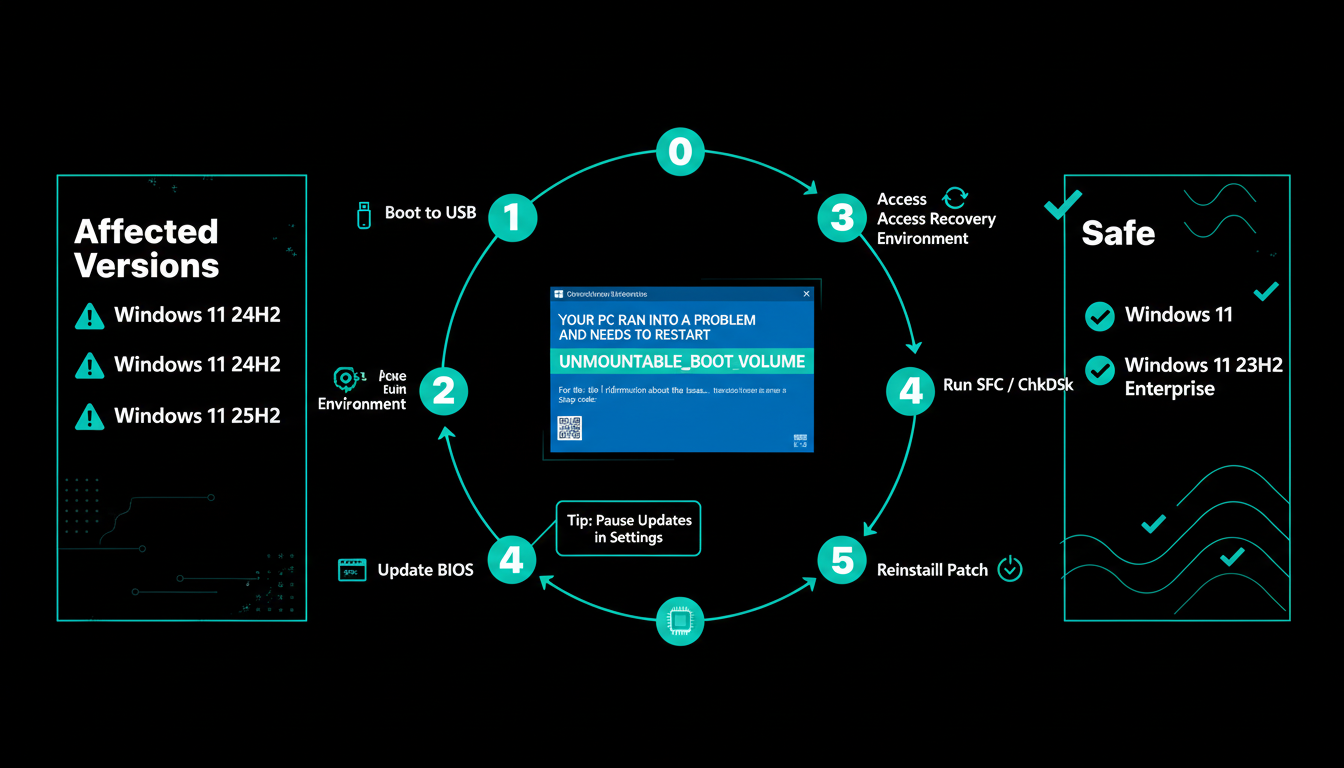
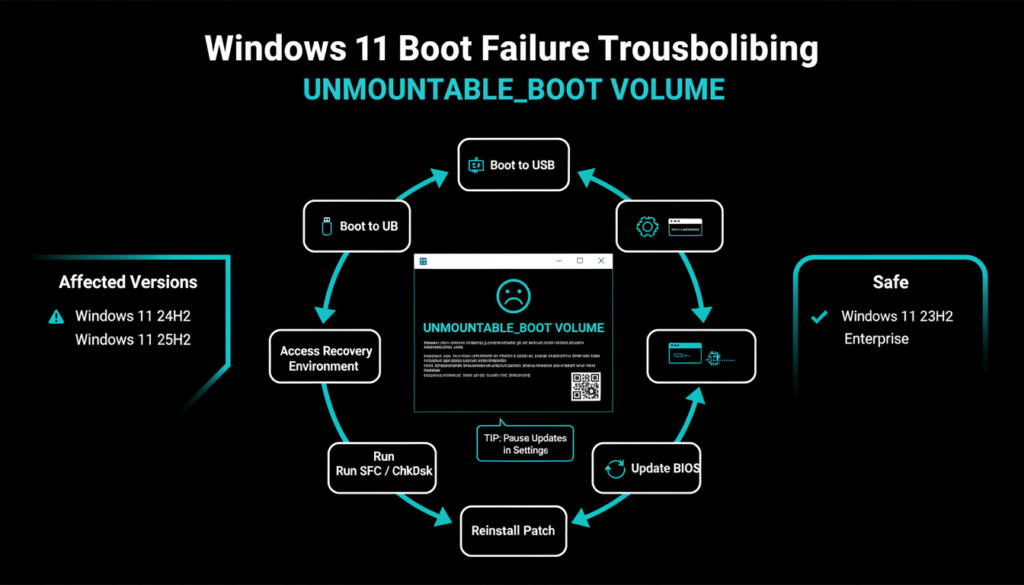
Compounding the chaos, Microsoft issued an alert to IT admins about potential boot failures on 24H2 and 25H2 machines post-January 13 update (KB5074109), with reports surging on forums. Some PCs bluescreen with the dreaded UNMOUNTABLE_BOOT_VOLUME error (stop code 0xEA) a classic sign of file system read failures during boot, often from corrupted partitions, driver conflicts, or storage controller glitches rendering systems unbootable and requiring manual recovery via Windows Recovery Environment (WinRE), bootable USB, SFC/ChkDsk scans, or even update rollback. The company is still investigating a “limited number” of cases, pausing the update via Intune, Endpoint Manager, and the health dashboard for enterprise fleets.
Historical context adds caution: Last year’s January 2025 security update was wrongly blamed for SSD degradation on Phison controllers, but root causes traced to outdated firmware and motherboard BIOS from ASUS, MSI, and others issues fixed by updates like BIOS 2501 for Intel 14th gen chips. Microsoft now advises checking OEM sites for BIOS/firmware, running hardware diagnostics, and backing up via File History before patching. Early 2026 telemetry shows under 2% failure rate globally, but for servers, gaming rigs with NVMe SSDs, and high-uptime environments, that’s still disruptive potentially linked to boot config changes or storage drivers in the cumulative update.
What Lies Ahead for Windows Users?
These back to back fixes now three OOB patches including January 17’s RDP/hibernation fix underscore Microsoft’s challenge in balancing rapid security releases (monthly Patch Tuesdays cover exploits like zero-days) with stability, especially as Windows 11 nears its fifth year with 25H2’s ARM optimizations, Recall AI, and broader hardware support. IT pros should monitor the Windows release health dashboard daily, enable update deferrals (up to 35 days for features), test patches in virtual machines or staging via WSUS, and use tools like MEMCM for controlled rollouts. For consumers, sticking to automatic updates while keeping drivers current via Device Manager or OEM apps (e.g., Dell SupportAssist, HP Support Assistant) minimizes risks plus, enable System Restore points pre update.
Microsoft promises a comprehensive postmortem soon, potentially in February’s Patch Tuesday alongside KB507xxxx fixes, and has urged uninstalling problematic KBs if needed while retaining security via web based alternatives. In the meantime, tools like the Update Troubleshooter (Settings > System > Troubleshoot > Other troubleshooters) or DISM for offline repairs can help diagnose. This saga reinforces why diverse testing across hardware from Dell XPS and Surface Pros to custom AMD/Intel builds is crucial in an ecosystem with over 1.4 billion Windows devices worldwide, where even 1% impact equals millions of headaches.
Windows 11 January 2026 Update Summary
Microsoft’s first Windows 11 update of 2026 became a major headache, requiring three emergency out of band patches within weeks. The January 13 security update (KB5074109) triggered shutdown hangs on 23H2 Enterprise/IoT systems, OneDrive/Dropbox/Outlook crashes on 24H2/25H2 builds, plus remote desktop failures fixed by KB5078127, KB5078132, and earlier January 17 patches.
Ongoing investigations target boot failures (UNMOUNTABLE_BOOT_VOLUME bluescreens) affecting newer versions, paused via enterprise tools while Microsoft probes storage/BIOS conflicts similar to 2025 SSD issues. IT admins face weekend deployments and recovery headaches across 1.4B+ devices.
Key fixes timeline: Jan 17 (RDP/hibernation), Jan 24 (shutdowns + cloud sync), with Feb Patch Tuesday expected to deliver full postmortem. Users should defer updates, check OEM BIOS, run troubleshooters, and monitor release health dashboard to avoid disruptions.
Discover More Tech Insights
Loved diving into Windows 11’s bumpy 2026 launch? Explore our latest posts on AI, TECH, and CYBERSECURITY for cutting edge analysis and practical tips. Visit our blog page now to stay ahead of the curve!